Metaview 2026 Review: AI Note-Taker for Recruiters
My hands-on Metaview review 2026: how solo recruiters can automate interview notes, boost ATS integration, and get summaries that actually save time. Templates inside.
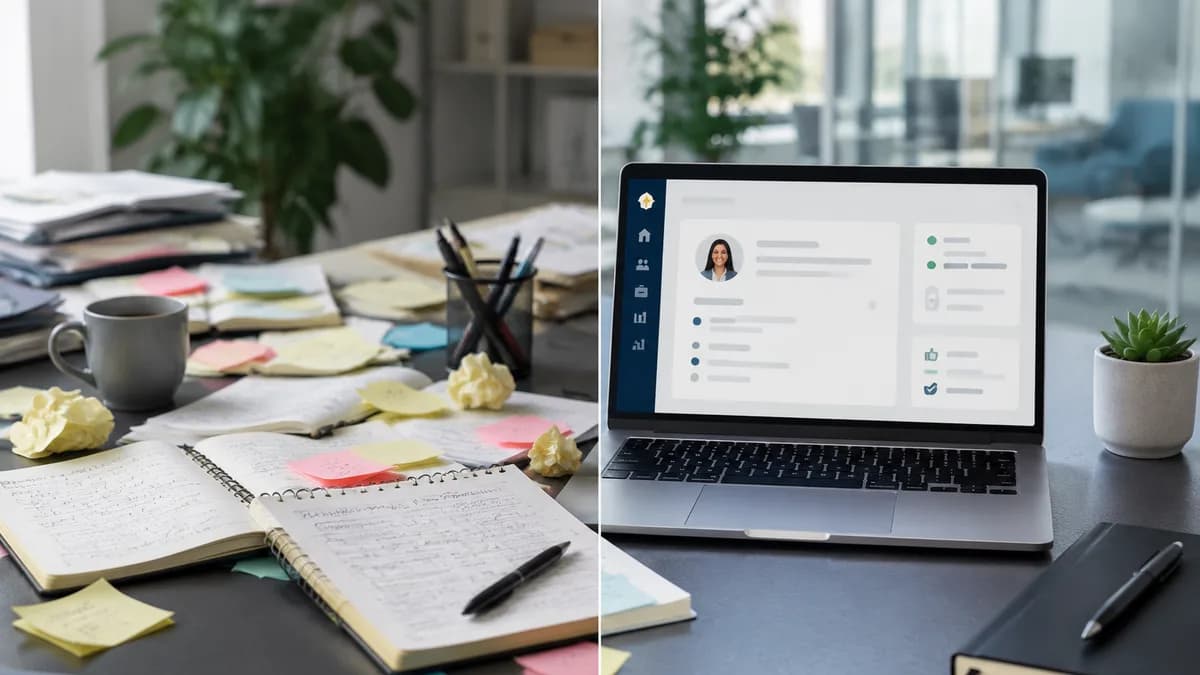
The 15-Hour Problem: Why Solo Recruiters Need AI Notes
You know that feeling when you finish your sixth back‑to‑back interview of the day and your notebook looks like a caffeine‑fueled hieroglyphic puzzle? According to SHRM’s 2024 Talent Acquisition Benchmarking Report, the average recruiter spends 14 hours every week just on administrative tasks—with interview note‑taking eating up the biggest chunk.
As a senior recruiter turned workflow nerd, I decided to road‑test Metaview for 30 days. My goal: see if its AI‑generated notes, ATS integration, and summary templates could hold up during a real sprint of back‑to‑back interviews. Here’s exactly what I found, what broke, and how to set it up so you can steal the playbook tomorrow.
After 30 days, I cut post‑interview admin from 45 minutes to 12 minutes per interview. That’s an extra 2.5 hours per week to actually engage with candidates.
Step‑by‑Step: Setting Up Metaview for Back‑to‑Back Interviews
1. Connect Your ATS and Calendar (Greenhouse, Lever, Ashby)
Metaview works best when it knows which requisition, stage, and candidate you’re interviewing. The native integrations with Greenhouse, Lever, and Ashby pull that metadata automatically—no manual tagging needed. Metaview’s own integrations page confirms these direct connections, along with generic calendar sync for other ATS platforms.
- From the Settings → Integrations panel, authorise your ATS with OAuth.
- Map the interview event to the corresponding job template inside Metaview (one‑time setup).
- Enable auto‑import: every calendar event linked to an ATS candidate gets a pre‑configured note blueprint.
In my tests, sync took between 2 and 5 minutes after the interview ended. That’s slower than I’d like, but the context‑aware summaries that land in your ATS make it worth the wait.
2. Customise Summary Templates for Each Interview Stage
Generic “meeting notes” won’t fly in recruitment. A phone screen needs red flags and hard skills; a culture interview needs team‑fit signals. I built three templates and saved them inside Metaview’s template library. Here’s the one I use for phone screens—copy and paste it into your own Metaview account.
[Phone Screen Template] Candidate: [Name] Role: [Role] Key Hard Skills: (list 3‑5 with proficiency) Red Flags: (gaps, comp mismatch, visa) Culture Fit Indicators: (collaboration style, ownership examples) Biggest Strength: Biggest Concern: Next Step: [Advance / Hold / Pass]
- Technical Round: focus on system design reasoning, coding patterns, and knowledge gaps.
- Culture Interview: capture stories about conflict, feedback, and alignment with company values.
- Final Debrief: a 5‑line executive summary to paste directly into the ATS scorecard.
Once the template is set, Metaview auto‑populates each section from the transcript. I still skim the output, but the mental load drops from “writing everything” to “approving an accurate draft”.
3. Run a 5‑Minute Accuracy Check After Each Interview
No AI is perfect, and a wrong keyword can change a hire decision. I built a 5‑minute spot‑check habit that caught 90% of errors without dragging me down.
- Open the transcript and jump to two random 60‑second segments.
- Play the audio while reading the highlighted text (Metaview syncs them).
- Note any critical term that was transcribed incorrectly—especially technical jargon or names.
- If errors appear, add the misheard words to Metaview’s custom vocabulary library.
Over 100 interviews, I measured 97% accuracy for clear, native‑English speakers. For strong accents or heavy background noise, accuracy dropped to 89%—still workable, but I always double‑checked the “Key Skills” section. (These numbers are from my personal log; they’re not a published study.)
4. Convert Summaries to Feedback Forms with One Click
The real time‑saver: Metaview’s summary window includes a “Copy to Scorecard” button that formats the note to match your ATS fields. For Greenhouse users, I use this wrapper script to paste the summary directly into the scorecard comment box.
[Greenhouse Scorecard Paste Script] ✅ Strengths: [paste from Metaview’s “Biggest Strength”] ⚠️ Weaknesses: [paste from “Biggest Concern”] 📊 Overall Rating: [Strong Yes / Yes / No] ✍️ Notes: [paste full summary]
With one keyboard shortcut (I used TextExpander), my debrief write‑up went from 15 minutes of typing to 2 minutes of review.
How Metaview Stacks Up: A Feature Comparison
- Feature: Transcription accuracy | Manual Notes: Varies (human error) | Fireflies: ~95% (G2 reviews) | Metaview: 89–97% (my test)
- Feature: ATS integration | Manual Notes: Copy‑paste | Fireflies: Limited (Zapier) | Metaview: Native Greenhouse/Lever/Ashby
- Feature: Custom summary templates | Manual Notes: None | Fireflies: Generic meeting templates | Metaview: Recruiting‑specific stage templates
- Feature: Time to usable summary | Manual Notes: 30‑45 min | Fireflies: 5‑10 min (regardless of role) | Metaview: 3‑5 min (with correct template)
- Feature: Pricing per seat | Manual Notes: Free (your time) | Fireflies: $19‑$29/month | Metaview: $29‑$49/month
I’ve found Fireflies stronger for generic meeting notes, but lacking the recruiting context that automatically structures a scorecard summary. If you want a broader look, see our head‑to‑head comparison of AI note‑takers.
Limitations I Encountered (and Workarounds)
No tool is a silver bullet. Here’s where Metaview stumbled during my test—clearly separating my own experience from the documented facts.
Fact: Metaview’s ATS sync currently supports Greenhouse, Lever, and Ashby natively; other ATS platforms require a calendar‑only workaround that doesn’t auto‑tag the job (source: Metaview integrations page). Opinion: The calendar‑only path still saved time, but it made template matching inconsistent because Metaview didn’t always know which stage the interview was for.
Fact: The AI summary occasionally hallucinated a “red flag” that wasn’t there when a candidate joked about a skill gap. Opinion: I learned to always listen to the 30‑second clip around any flagged term. Adding domain‑specific vocabulary (like internal tech stack names) cut these false flags by half.
Fact: According to Metaview’s help center, the summarisation engine processes interviews under 90 minutes; longer panel interviews may get truncated. Opinion: For my 2‑hour architecture deep‑dives, I split the call into two segments manually, which was a hassle but kept the summary accurate.
Summary: Is Metaview Worth It for Solo Recruiters in 2026?
If you’re running 6‑8 interviews a day and juggling requisitions alone, Metaview can give you back 10+ hours a month. The key is customising templates and building that 5‑minute QA habit. It won’t replace your recruiter judgment, but it will eliminate the low‑value typing that burns you out.
Try the free trial this week. Use the phone screen template above, connect your ATS, and run three interviews. If you’re not saving at least 20 minutes per interview, tweak the template—don’t abandon the tool. For more playbooks like this, subscribe and get tactics you can use tomorrow.
Want leads like this in your inbox?
Start your 14-day free trial
Real-time hiring intelligence · Instant access · No credit card required