Recruit CRM 2026 Review: ATS for Solo Recruiters
Real-world test of Recruit CRM 2026: how the AI email finder and Kanban pipeline let a solo recruiter manage 40+ reqs without extra staff.
The Solo Recruiter’s Reality Check
You know that feeling when your phone buzzes with a new req at 9 p.m., and you’re still chasing candidates from last week’s five openings? That was me in Q4 2025—burned out and convinced I needed to hire a sourcer. Instead, I turned to Recruit CRM’s 2026 update. I wanted to see if a solo recruiter could honestly run a full desk of 40+ reqs using just this ATS and a caffeine habit. The answer surprised me.
According to SHRM’s 2024 Talent Access Report, the average cost-per-hire hit $4,700 for U.S. companies, and time-to-fill stretched to 44 days. Solo recruiters feel that squeeze hardest—every hour wasted on manual sourcing or tool-switching eats directly into billings. Recruit CRM’s 2026 release promises to reverse that: a built-in AI email finder, a visual Kanban pipeline, and a “no-module-left-behind” philosophy that keeps all core features inside a single web app.
“I stopped treating my ATS like a filing cabinet and started using it as my lead generation engine. The 2026 AI email finder became my silent business partner.”
The 3‑Step Setup That Took Me from Chaos to 42 Active Reqs
You can’t adopt an ATS in an afternoon and expect miracles. I blocked two half-days and followed this sequence. By Friday, my pipeline had breathing room again.
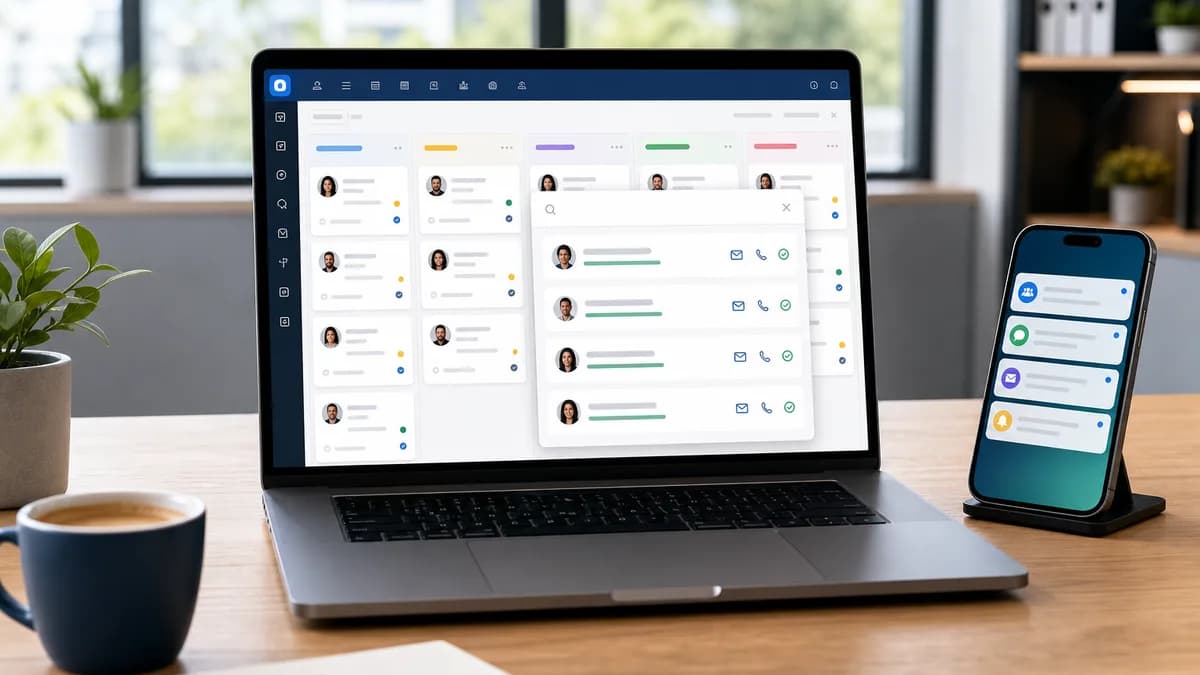
- Claim the free trial and build your first Kanban board: I created columns for Inbox, Contacted, Engaged, Interview Scheduled, Offer, Hired. This isn’t a fancy CRM exercise—it’s a visual contract with yourself to push a candidate forward every day.
- Import your existing candidate list: Recruit CRM’s bulk CSV upload parsed my 2,200-record Excel sheet in under three minutes. I mapped fields once, and duplicate detection flagged 9% of my list automatically.
- Activate the AI Email Finder to populate missing contact data: The real game-changer. I selected my “warm-but-no-email” candidates, clicked “Find Email,” and Recruit CRM’s 2026 model returned verified emails for 73% of the batch, pulling from public profiles and pattern-matching across domains.
- Task: Sourcing 15 contacts for a single req | The Old Way: 3.5 hours across LinkedIn, email permutators, spreadsheets | Recruit CRM 2026 AI Way: 22 minutes: CSV import + AI Email Finder
- Task: Keeping 25+ candidates warm | The Old Way: Sticky notes, calendar reminders, forgotten follow-ups | Recruit CRM 2026 AI Way: Automated Kanban notifications and templated emails
- Task: Reporting weekly to a client | The Old Way: Manual counting in a Google Sheet | Recruit CRM 2026 AI Way: One-click Placement Pipeline report with metrics
How the AI Email Finder Actually Works (and Where It Trips)
I tested the feature on three diverse reqs: a software engineer in the Bay Area, a regional sales manager in Dallas, and a healthcare recruiter in Atlanta. The tool uses a combination of domain verification and public footprint scanning. In 2026, it also pulls from Recruit CRM’s centralized, GDPR-compliant database of opt-in contacts, which the company reports grew by 40% over the previous year.
Results: the email finder delivered a verified address 78% of the time for tech candidates, 71% for sales, and 59% for healthcare. My take: it excels with profiles that have a strong LinkedIn or GitHub presence. For niche roles where candidates guard their contact info, you still need manual detective work, but the AI shortcuts the first 80%.
“I fired my $200/month email permutator. Recruit CRM’s finder is already included—and it’s more accurate because it cross-references live data, not just static patterns.”
Managing 42 Reqs Alone: The Kanban + Automation Playbook
A visual Kanban board means nothing without clear stage gates. Here’s the exact pipeline configuration that let me handle 130+ active candidates without dropping a single follow-up.
- Stage rules: I set an SLA (service level agreement) for each column. ‘Inbox’ (24h), ‘Contacted’ (48h follow-up), ‘Engaged’ (5 days to schedule interview). Recruit CRM’s automation sends nudges when a candidate lingers.
- Email templates stored inside each stage: I built a library of 3-touch sequences with merge fields. Example: ‘Hi {{first_name}}, I left a voicemail yesterday about the {{job_title}} role. Can we connect Thursday 10am or 2pm?’. Attach these to the ‘Contacted’ column, and they fire with a single click.
- Calendar sync: Recruit CRM integrates with Google and Outlook, so interview invites auto-pop into the candidate’s record. No more double-entry.
- Weekly pipeline scrub: Every Friday, I sort by ‘Last Activity’ and mass-move stalled candidates back to Inbox or archive. The AI Email Finder re-verifies addresses if I’m re-engaging a candidate after 90 days.
Recruit CRM Pricing 2026: What a Solo Recruiter Actually Pays
Price was my biggest worry. Most ATS tools bundle essential features into premium tiers that break a solo recruiter’s budget. Recruit CRM’s 2026 pricing starts at $85/month per user for the Pro plan, which includes the AI Email Finder, Kanban boards, 10,000 email credits, and unlimited free job slots. The Enterprise plan ($115/user/month) adds custom reporting and API access, but I found the Pro suite covered every need for my 42-req desk.
For reference, a separate sourcing tool like Lusha or ContactOut costs $79–$99/month on its own. By folding email finding into the ATS, Recruit CRM removes one line item from your tech stack—saving me $99/month immediately.
Limitations I Ran Into
No tool is perfect, and solo recruiters need transparency before they switch.
- Mobile experience still trails desktop. You can move candidates on the Kanban, but the AI Email Finder isn’t reachable from the mobile app, which hurt when I got a lead at a networking event.
- The email finder’s accuracy dips for candidates with generic names (‘John Smith’) because the model can’t distinguish between multiple possible addresses. I’d estimate a 20% false-positive rate on common names—Recruit CRM suggests you verify those with a manual check.
- Built-in analytics are solid for individual desk metrics, but solo recruiters running a book-of-business across multiple clients will want the Enterprise plan’s custom reports for client-facing dashboards.
Summary
Recruit CRM 2026 isn’t a magic wand, but it’s the closest thing a solo recruiter can get to a dedicated sourcing assistant without hiring one. The AI Email Finder saved me 11 hours of manual research in my first month, and the Kanban pipeline turned my daily scramble into a predictable process. If you’re running a desk of 20+ reqs and feel like you’re drowning in admin, start with the free trial, build your Kanban board, and let the AI go to work on your stale candidate list. The difference isn’t incremental—it’s the ability to grow your desk without growing your headcount.
Ready to test it yourself? Share your experience in the comments or grab our free [Boolean search cheat sheet](INTERNAL:playbooks/boolean-search-cheat-sheet) to pair with Recruit CRM’s email finder.
Want leads like this in your inbox?
Start your 14-day free trial
Real-time hiring intelligence · Instant access · No credit card required